Kanger Glass-ceramic Co., Ltd.
Appliance control panel glass screen printing durability depends on how the printed graphics work with touch sensors, display windows, backlighting, coatings, cleaning agents, and the glass surface. The OEM should treat icons and masks as controlled functional features rather than artwork alone. A drawing and qualification plan must identify the print face, orientation, registration datums, color and opacity criteria, process evidence, and service exposures for the finished control module.
This drawing-led guide for appliance control panel glass screen printing durability is intended for appliance OEM, industrial-design, supplier-quality, and glass-engineering teams. It does not set a universal dimension, print specification, material approval, test limit, or product guarantee. Use the released panel drawing, supplier data for the exact glass and process, applicable appliance requirements, and validation on production-intent control modules.
Map functional zones before releasing artwork
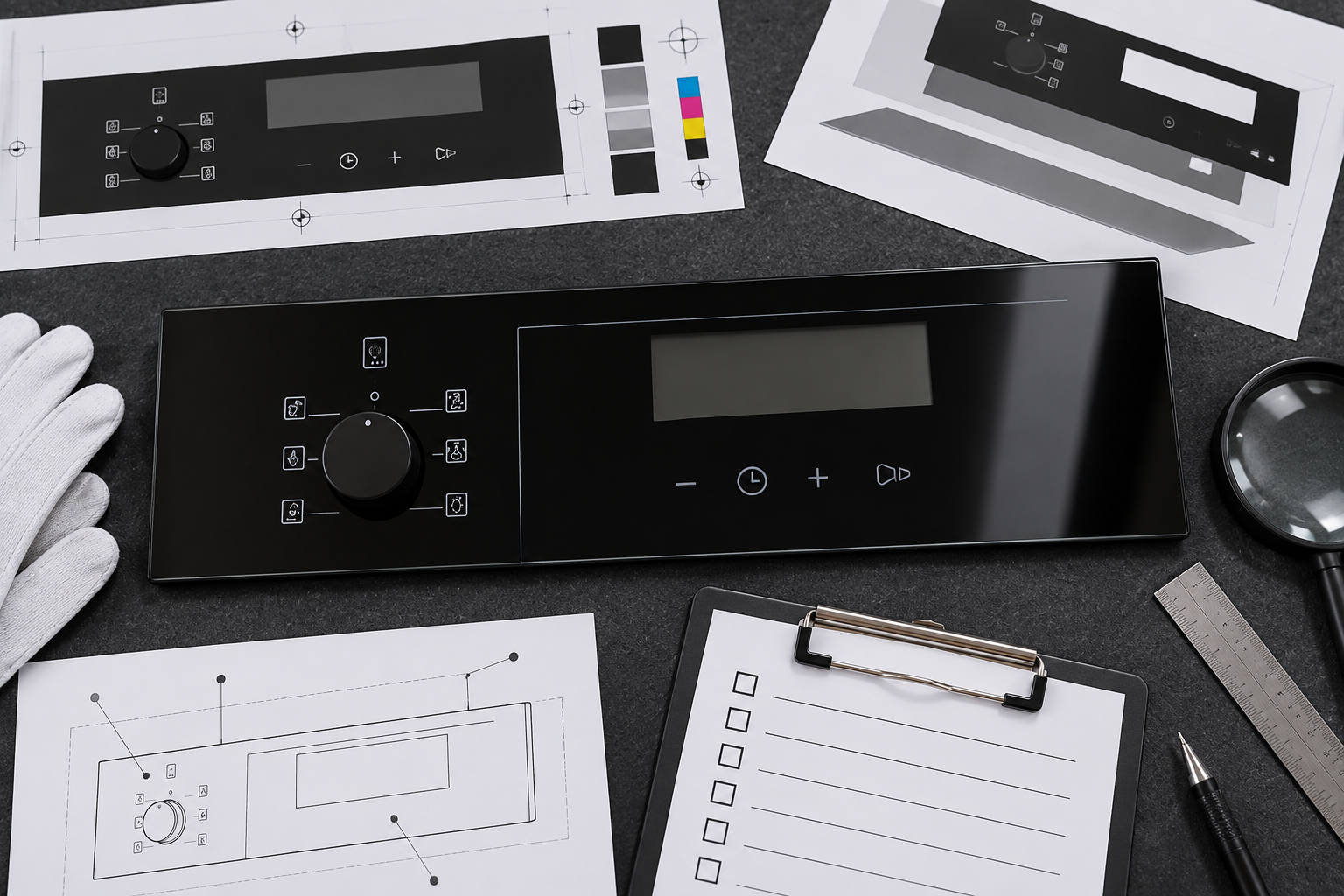
Separate touch icons, active capacitive areas, display windows, backlit legends, perimeter masks, sensor openings, and no-print regions. Each zone can have a different visibility or transmission requirement. A printed area that works as a decorative border may block an optical sensor or reduce the contrast of a backlit symbol.
Reference the artwork to the same datums used for the glass and bezel. Identify which marks must align with buttons, electrodes, LEDs, or display apertures. Specify the appearance in the assembled module as well as the loose panel so reflections and housing shadows are included in review.
Specify the surface and layer order
State whether printing is on the user-facing or rear face, and show how the part is oriented in assembly. The face choice affects abrasion, cleaner contact, adhesive bonding, sensor construction, and the appearance of the icon through the glass. If coatings or conductive layers are present, show their order relative to the print and bond line.
Use a glass section or controlled layer stack in addition to the artwork file. Add a unique revision, datum system, and an orientation feature that remains visible through production and packaging. Do not assume the printer can infer the correct face from a render or from a sample part.
Select the print system with substrate data
Screen printing, ceramic color, organic ink, and other decoration methods differ in substrate compatibility, cure process, adhesion, and service limits. Ask the supplier to identify the proposed system for the exact tempered glass, coating, surface treatment, thickness, and intended panel use. A material’s generic name does not prove it will work with the whole sensor stack.
Request data for cure or firing conditions, adhesion, color repeatability, chemical exposure, aging, and interactions with coatings or adhesives. SCHOTT’s appliance-glass information describes printed and conductive-glass options for control applications; that industry example does not qualify the selected Kanger material or a customer’s artwork.
Control registration, color, opacity, and contrast
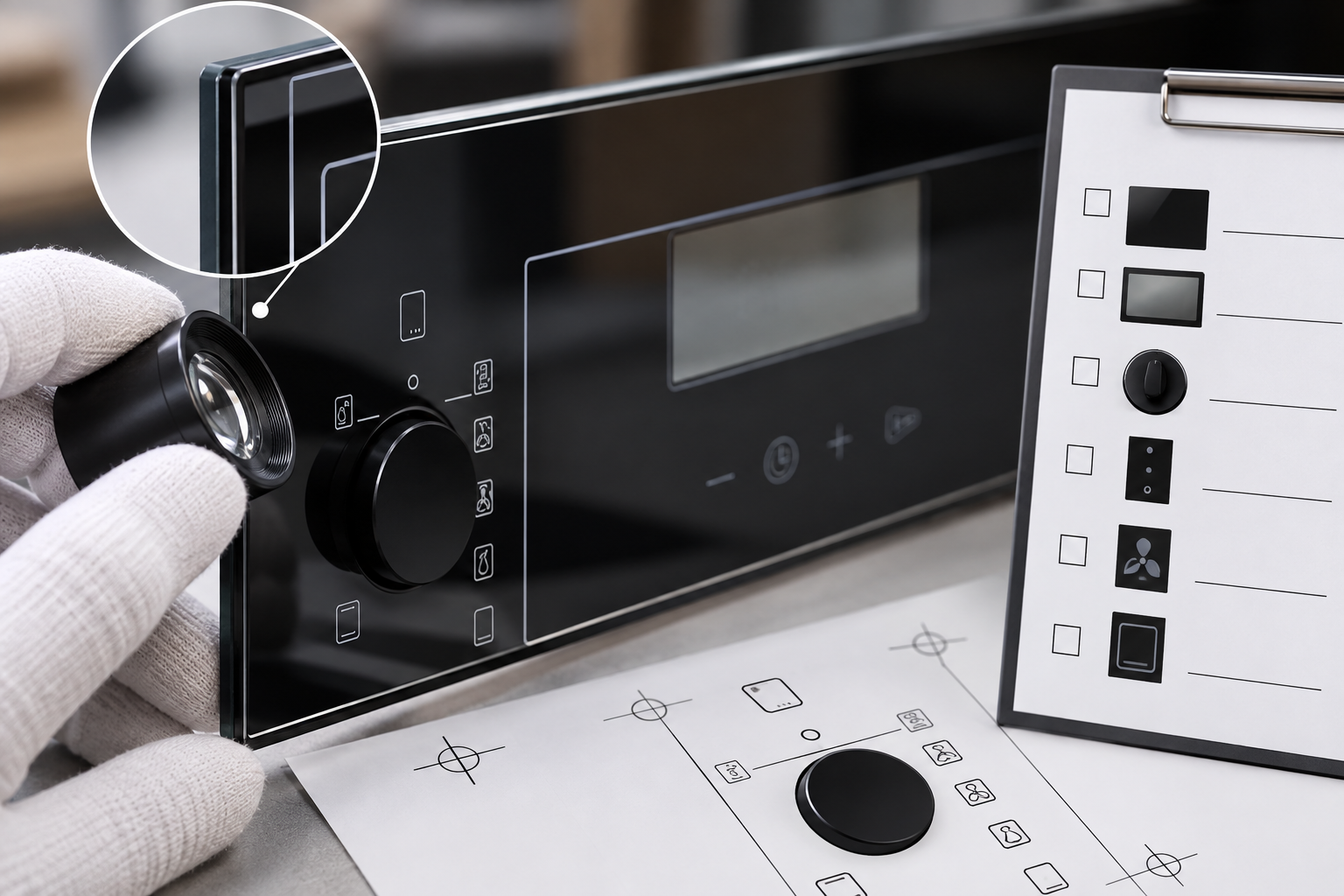
Define allowable position of icons and masks from glass datums, registration relative to the active touch zones, color reference, gloss or matte finish, and opacity or transmission where function depends on it. Specify viewing angle and lighting for backlit graphics. Photographs alone are unreliable for color approval because camera exposure and reflections vary.
Use an approved physical master or suitable instrument reading for critical colors. Check small icons, line widths, gaps, and overlay registration after glass processing and assembly. Confirm that the design does not cover the touch electrode or shrink the active display window through a misplaced mask.
Qualify cleaning, abrasion, and handling
Choose test methods to represent dry wiping, the approved cleaner, repeated finger contact, incidental oils, abrasion during service, and any humidity or temperature exposure the panel experiences. Define media, applied load, strokes or cycles, conditioning, inspection lighting, acceptance, and whether tests run separately or in a realistic sequence.
Use coupons only for process screening. Qualify the finished control-panel geometry when edges, holes, print proximity to a gasket, coating, or tempering can affect durability. Record transfer, lifting, color change, haze, gloss shift, cracking, or loss of legibility. Do not apply a paint test designed for another substrate as automatic proof for glass.
Check optical and touch performance together
The graphic must be legible through the glass without creating glare or hiding the display. At the same time, capacitive sensing, touch response, light output, and any nearby optical sensor must remain within the appliance design requirements. A print can pass a loose-part visual check and still interfere after the panel is installed over a backlight or sensor.
Test the finished module at specified viewing angles and illumination states. Record color and opacity results together with touch and display function. Keep performance requirements tied to the control electronics and user interface drawing; do not invent generic luminance, contrast, or sensor thresholds.
Set incoming and in-process acceptance
The inspection plan should state how artwork revision, glass identity, print side, registration, color, coverage, surface defects, and packaging are verified. Identify inspection lighting, instruments, sample locations, limit samples, lot traceability, and reaction rules. Receiving inspection can confirm identity and visible defects but cannot replace process qualification.
Record glass and ink lots, screen or print setup, curing settings, line, operator, and final inspection. Define containment for wrong-face printing, misregistration, contamination, missing icons, pinholes, scratches, and coating damage. Link nonconforming samples to corrective action so the supplier can identify the process step that changed.
Revalidate changes and retain production records
Changes to glass family, coating, surface treatment, artwork, print material, screen, mesh, curing process, sensor stack, cleaner, packaging, or appliance duty can alter durability or function. Review the risk and identify which fit, appearance, cleaning, adhesion, and electrical checks must be repeated before releasing the new configuration.
Keep the approved artwork, master sample, supplier data, first-article report, and lot inspections tied to the product revision. SCHOTT’s professional appliance material illustrates why print and conductive functions belong in the glass design. For a panel used on a stationary household cooking appliance, IEC 60335-2-6 provides safety context; its scope does not set print durability limits or replace the OEM’s product-specific criteria.
Engineering table
| Control-panel feature | Release requirement | Validation record |
|---|---|---|
| Functional zones | Touch, display, backlight, mask, no-print | Artwork-to-glass datum overlay |
| Print face | User or rear surface and layer order | Orientation and assembly check |
| Appearance | Color, opacity, gloss, contrast, registration | Master sample or instrument report |
| Durability | Cleaner, rub, handling, humidity/heat exposure | Defined method and post-test images |
| Functional checks | Touch response, sensor and display visibility | Module-level test results |
RFQ, first-article, and production workflow
For an RFQ, provide the controlled panel drawing, appliance function and location, glass type and thickness, edge and corner details, artwork and layer files, sensor or display stack, gasket or adhesive interface, volumes, packaging, and required validation conditions. Ask suppliers to identify process assumptions and deviations in writing. Make each quotation and inspection plan refer to the same revision.
Before first-article approval, verify glass identity, dimensions, edge condition, surface orientation, print revision, display window, touch zone alignment, seal or bezel fit, and packaging. Assemble production-intent electronics, backlight, sensor, gasket, and housing when those parts influence the result. Capture lot identity, setup, visual evidence, measurements, functional checks, and disposition.
For serial production, use named inspection methods with defined lighting, fixture, instrument, sample locations, and reaction rules. Trend results by glass and ink lot, screen or cure setup, supplier, and assembly line. If a defect appears, contain related inventory, preserve failed samples before rework, compare the affected lot with the approved master, and verify correction on a later production run.
Educational video
This neutral Corning Museum of Glass video provides background on glass coloration and surface appearance. It is additional learning material only; it does not qualify an appliance control panel or replace a product-specific test.

Related Kanger resources
- Tempered glass for household appliances and controllers
- Inspection Windows Glass for Appliances: OEM Specification Guide
- How should OEMs specify inspection windows glass for appliances?
- Designing the Sealing Interface Around Appliance Control Panel Glass
For an application review, provide the released panel drawing, appliance location, touch or display requirements, glass finish and artwork, assembly interface, and lot requirements. The Kanger appliance inspection-window guide gives a broader RFQ checklist; this article addresses the specific control-panel interface named above.
Frequently asked questions
Does ceramic screen printing automatically survive appliance cleaning?
No. The print system, glass face, cure, cleaner, handling, and intended exposure all need verification.
Should touch icons be centered on the artwork or the sensor?
The released datum scheme should relate both artwork and sensor zones to the glass and assembled bezel.
Can a photograph define color acceptance?
A photo can support communication, but critical color should use controlled lighting and an approved reference or measurement.
What changes can affect print durability?
Glass, coating, ink, artwork, screen, cure, sensor stack, cleaner, packaging, or operating duty may require review.