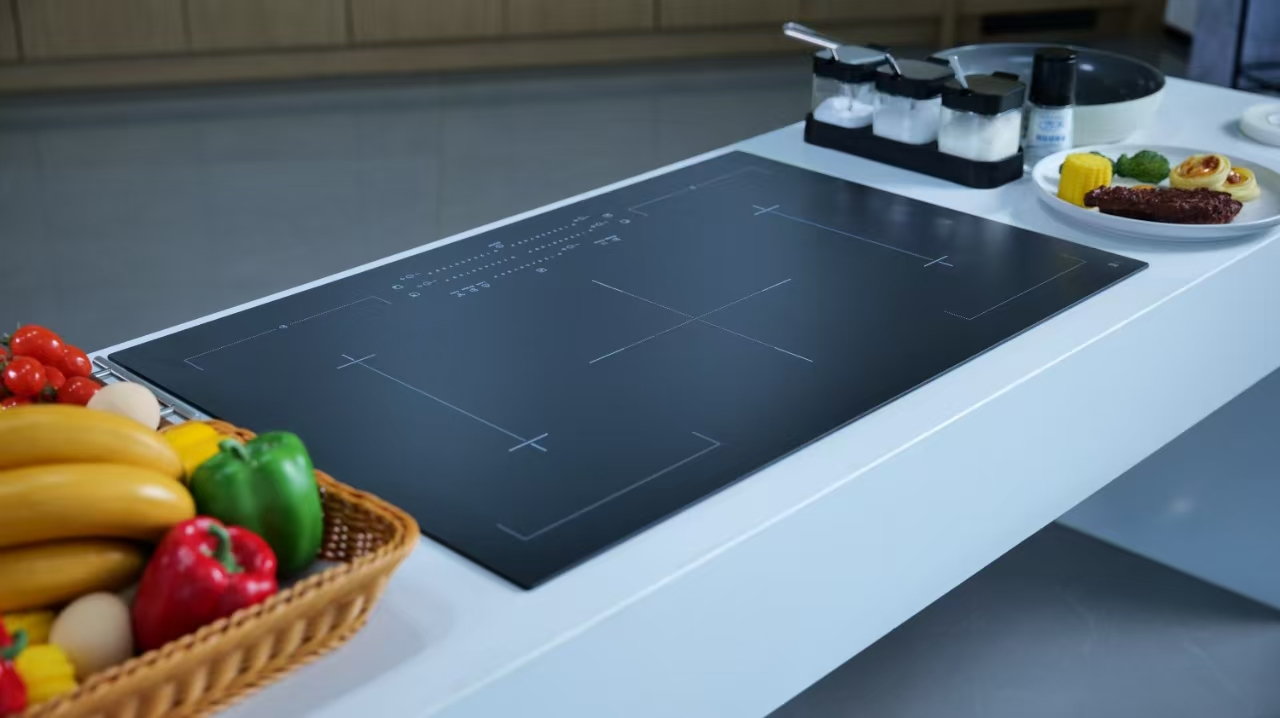
A transparent infrared-panel request should define the viewing area, the drawing reference, and the assembly conditions that surround it. Calling a panel transparent does not state what a buyer needs to see, how the part interfaces, or what evidence supports acceptance.
Begin with the component function. State where the panel sits in the appliance, which area is intended for observation, and which released drawing governs the request. This prevents a general material description from becoming a substitute for a component definition.
| Decision point | Buyer input | Purpose |
|---|---|---|
| Panel location | Appliance position and assembly role | Establishes the component context |
| Viewing area | Marked zone or approved reference | Shows what must be reviewed |
| Drawing status | Released issue and relevant views | Creates a common quotation basis |
| Decision owner | Team responsible for visual acceptance | Keeps open choices visible |
Important: A transparent material label is not proof that a proposed part meets a specific appliance requirement. SCHOTT’s glass-ceramic overview describes material information within stated product scope; it cannot approve an unrelated assembled panel.
The viewing area is only one part of the request. The drawing should also identify the perimeter, supports, cutouts, marking locations, and any relevant mating context. Separating these zones lets a supplier flag an interpretation instead of silently assuming it.
| Area | Reference to provide | Do not assume |
|---|---|---|
| Viewing zone | Marked drawing area and review condition | A product photo defines the required result |
| Perimeter | Edge or outline detail | Every shape uses the same treatment |
| Supports | Relevant assembly contact information | Nominal dimensions prove installed fit |
| Openings | Cutout or control-location views | Omitted locations are acceptable |
| Marking area | Artwork or identification ownership, if needed | A sample marking transfers automatically |
For adjacent terminology, see the guide to inspection-window glass for appliances and the observation-window glass review. Both are context only; the RFQ still needs the current panel drawing.
Attach a short record to the released drawing. It should distinguish the buyer’s view reference from the information a supplier must confirm for the proposed component.
| RFQ subject | Buyer defines | Send with RFQ | Supplier response |
|---|---|---|---|
| Panel identity | Appliance role and drawing revision | Released file set | Confirm review basis or state an exception |
| Viewing reference | Zone and review condition | Marked view or approved reference | Explain the proposed review evidence |
| Interface context | Supports, openings, and perimeter details | Relevant drawing views | Identify assumptions affecting scope |
| Documentation request | Required record for the project stage | Requested format | Confirm availability or limitation |
Compare responses by their stated basis. A useful reply names the drawing issue, states whether the marked viewing zone has been understood, and records open interface conditions. Generic language about transparency cannot resolve a project-specific question.
| Response item | What it reveals | Buyer action |
|---|---|---|
| Drawing issue | The document reviewed | Check it against the released package |
| Viewing interpretation | How the proposed scope is understood | Resolve a mismatch before comparison |
| Interface assumption | A condition not defined in the RFQ | Assign an engineering owner |
| Evidence limitation | What cannot be confirmed from the request | Keep it outside acceptance until reviewed |
Supplier records, material references, and product pages can improve the conversation, but each has a limited role. Use the drawing to define the requested part; use supplier documentation to explain a particular proposal; do not transfer values or claims between unrelated components.
| Information | Appropriate use | Boundary |
|---|---|---|
| Controlled drawing | Defines the requested panel | Does not approve a supplier by itself |
| Supplier response | Explains the proposal basis | Requires project review |
| Material overview | Clarifies questions and terminology | Does not establish Kanger-specific values |
| Product route | Identifies an inquiry channel | Does not guarantee application fit |
| Request state | Next action |
|---|---|
| Released drawing, marked viewing area, and interfaces are available | Submit a drawing-led inquiry |
| Transparency is the only information supplied | Define the component and viewing decision first |
| A support or cutout condition is still open | Hold comparison until it is controlled |
| A performance, certification, or compatibility claim lacks project evidence | Exclude it from acceptance |
| The request is for architectural or consumer replacement glass | Use a separate workflow |
When the project package is ready, use the transparent glass-ceramic product route to begin a Kanger inquiry. Include the drawing revision, viewing-zone reference, interfaces, and desired response record.
Use this route for a controlled project inquiry, not as a promise of a specific infrared appliance outcome, certification, lead time, or compatibility. Contact Kanger after the RFQ inputs are defined.
What is the first item in a transparent viewing-window RFQ?
Identify the appliance position and mark the viewing area on the released drawing or an approved reference.
Why is a transparent label insufficient?
It does not define the surrounding interfaces, the viewing condition, or the evidence required for the actual panel.
What should be sent with the drawing?
Send the current revision, marked viewing zone, relevant support or cutout details, and the requested documentation format.
What should a supplier state in the response?
The response should identify the drawing issue reviewed, any interpretation of the viewing zone, and assumptions that affect scope.
Can a material overview approve the proposed panel?
No. It can support clearer questions, but approval depends on the project drawing and supplier-specific review.
When should Kanger receive the inquiry?
Submit it when the component, viewing reference, interfaces, and evidence request are ready for review.