Kanger Glass-ceramic Co., Ltd.
An induction hob child lock must be released using the instructions for the exact appliance model. A padlock symbol, a letter or a silent control panel does not establish one universal unlocking sequence. First distinguish the persistent child lock from a temporary cooking control lock, a cleaning pause and an actual fault. Clear and dry the accessible controls, identify the model and follow its manual once. If the documented procedure fails, record the display and request support rather than trying random button combinations or replacing the glass.
This guide helps an adult identify the correct next step. It does not provide a bypass for safety functions or instructions for opening a mains-powered appliance. Keep children away during checks, supervise any subsequent cooking and stop if the glass is cracked, controls behave unpredictably or an electrical warning appears.
Identify which function is active
A cooking control lock generally prevents accidental setting changes during use. A child lock may remain enabled between cooking sessions. A temporary cleaning function can inhibit input for a limited period. Names and symbols vary, and some appliances combine functions under one control. A recurring lock after switching off can therefore be intentional rather than evidence that a component has failed.
Electrolux distinguishes cooking lock and child lock and directs owners to their model instructions. Its example is not a sequence for every brand. Record the exact displayed characters before searching; a clearly photographed symbol is more useful than describing everything as an error.
| Observation | Question to resolve | Appropriate next step |
|---|---|---|
| Lock returns after switch-off | Is persistent child lock enabled? | Read the permanent and temporary deactivation sections separately. |
| Settings cannot change during cooking | Is cooking control lock active? | Use the documented release while retaining safe supervision. |
| Controls stop responding during wiping | Is cleaning pause active, or is input obstructed? | Remove objects, dry the area and follow the model instructions. |
| Display is blank | Is this actually a lock indication? | Use the manual’s power or service guidance; do not assume an unlock command will help. |
| Crack, unstable operation or repeated fault | Is continued operation appropriate? | Stop use and contact the appliance service provider. |
This is a decision table, not a universal error-code chart. It deliberately avoids assigning the same meaning to letters across unrelated appliances.
Find the model without dismantling the hob
Use the purchase record, accessible documentation, appliance registration or the location described in the owner’s manual. Do not lift an installed hob or remove a cover merely to find a rating label. Similar-looking control layouts can belong to different generations, so the brand and approximate width are insufficient identifiers.
Match the complete model reference to an official manual. Check that its control drawing matches the actual panel and that the manual concerns the same market. Save the document revision or publication date when available. If an appliance has been supplied with a replacement controller, tell the service provider; the visible glass alone cannot establish the software configuration.
Locate separate sections for child safety, control locking, cleaning and troubleshooting. Read the entire procedure before touching the panel. Some instructions depend on the appliance being on or off, whether a setting has been selected or whether the lock is temporary. Following only the final line of a search snippet can miss the condition that makes the sequence meaningful.
Prepare a clear, dry control area
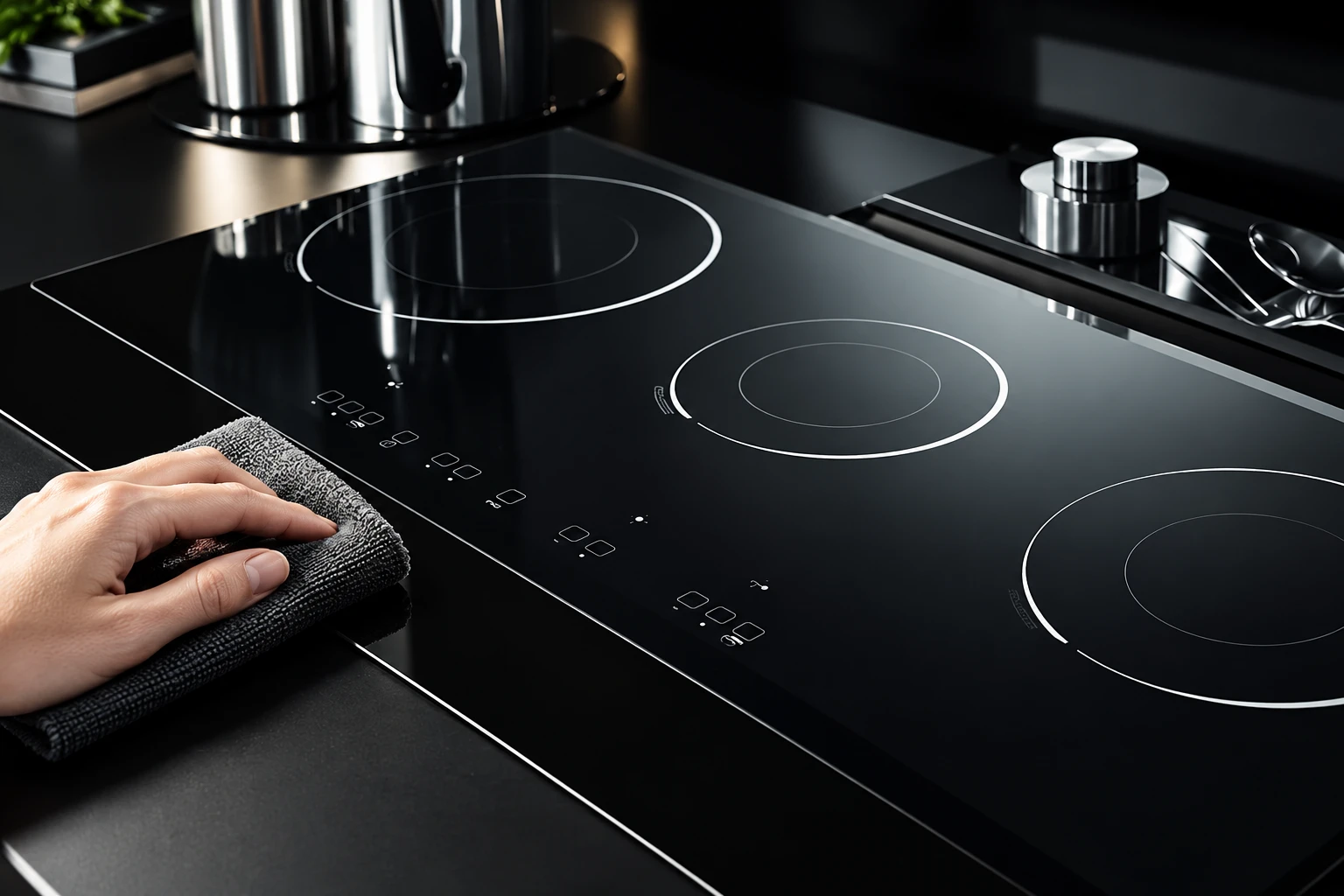
Switch off cooking through the normal controls where possible. Keep hot cookware safely handled and allow the surface to cool before cleaning. Remove objects from the control strip and use the cleaning method permitted by the appliance maker. Do not flood the panel, spray into openings or scrape printed symbols with an unsuitable tool.
Dry the accessible surface and your hands before the documented input. Use the contact method specified in the manual rather than pressing harder. Glass is not a mechanical switch that becomes more cooperative under force. Avoid resting another hand, a towel or a pan handle across nearby touch areas while attempting the sequence.
Record whether the panel gives an audible response, changes its indicator or remains silent. A beep alone does not prove the child lock is released. Confirm the display state described by the manual, and do not energize a zone solely to demonstrate that the controls now respond.
Follow one documented sequence and observe the result
Use the correct starting state, designated control and specified contact duration. This article intentionally gives no generic number of seconds: transferring a sequence from another model can change a setting instead of unlocking it. If the sequence involves a menu, compare the wording on the actual display with the manual.
After a successful temporary override, note whether the lock is expected to return after the session. If the goal is permanent deactivation, use that separate documented procedure only when it is appropriate for the household. An adult should make the decision with the appliance’s safety instructions in view.
If nothing changes, stop repeated guessing. Recheck the model reference and starting condition, then collect a clear description for support. Repeatedly cycling the electricity is not a substitute for diagnosis. Only use a reset when the exact instructions call for one and the accessible isolation method can be used safely; do not open covers, touch wiring or repeatedly reset a tripping protective device.
Separate input trouble from a glass-panel defect
The transparent or opaque cover, printed controls, sensing electronics and appliance software have different jobs. A lock indication is a controller state. It is not by itself a measurement of glass strength, glass thickness or print quality. Replacing a panel because a lock remains active can therefore leave the original problem unresolved.
MIT explains capacitive touch sensing: the system detects an electrical interaction rather than requiring a moving button. This background helps explain why pressing with greater force is an unsuitable response. It does not establish the sensing design or acceptance limits of a particular hob.
For component teams, use the separate touch-through-glass design checks when evaluating a replacement interface. That engineering review is different from an owner’s unlock task. Glass, decoration, sensor alignment and controller calibration require joint validation; no single material description certifies the assembled appliance.
Prepare a useful service record
Capture the model, exact symbol, whether the hob was cooking or idle, and what happened immediately before the issue began. State whether it followed cleaning, a power interruption or a settings change. Describe observations without claiming a cause: “lock symbol returns after normal switch-off” is clearer than “glass sensor broken.”
Include a short video of the display and normal user interaction if support requests it, keeping personal details out of view. Do not record by operating an unsafe appliance. A photograph of the control area can show an obstructing object or a mismatch with the manual without requiring heat.
Ask support to distinguish expected persistent locking from a fault, confirm the correct manual and identify the permitted next action. If service is needed, retain the original observations instead of replacing them with the last experiment. A consistent record reduces repeated troubleshooting and unnecessary component substitution.
Keep lock functions within a wider safety routine
A lock does not cool a hot pan or remove residual heat from glass. It also does not replace adult supervision. Maintain a clear cooking area, manage handles and hot liquids, and follow the appliance’s warnings after switch-off. If the separate concern is a heat warning that remains illuminated, consult residual-heat indicator checks instead of treating it as a lock.
Likewise, a hob that accepts commands but stops cooking presents another diagnostic task. The shutdown observation guide separates operating conditions from service warnings. Preserve those distinctions when reporting several symptoms together.
What appliance and panel buyers should specify
For a new program, agree on visible lock symbols, printing contrast, control locations and the instructions delivered with the finished appliance. Demonstrate the intended behavior with the actual electronics and the approved panel sample. A visually similar replacement is not proof of equivalent interaction.
Kanger’s black glass-ceramic cooktop panel product provides the relevant component context. Buyers should provide drawings, decoration details and interface requirements for review rather than requesting a generic “child-lock glass.” The locking function belongs to the appliance system; no controller behavior or safety approval is promised by this article.
Keep an approved control artwork revision with the appliance manual revision. When either changes, verify that the instructions still identify the correct touch position and displayed response. This small documentation check can prevent an otherwise sound product from becoming difficult to operate.
Further learning: touch sensing beneath a cover
The Branch Education video explains touchscreen construction and capacitive sensing. It is useful background for understanding a touch interface, not an induction-hob unlocking tutorial or evidence that a particular appliance uses every layer shown.

Video: How Do Touchscreens Work?, Branch Education. Open the educational video on YouTube.
Frequently asked questions
Is there one child-lock release for every induction hob?
No. Use the exact model manual, including the required starting state and whether the procedure is temporary or permanent. Similar symbols do not establish identical controls.
Why does the lock return after I switch the hob off?
A persistent child-lock setting may remain active between sessions. Check the manual before treating recurring locking as a fault. Record unexpected behavior for support.
Should I press harder when the touch control does not respond?
No. Clear and dry the permitted control area, use the documented contact method and stop if the procedure fails. Do not force the glass or dismantle the appliance.
Does an active child lock mean the glass needs replacing?
No. A lock indication alone does not diagnose a glass defect. Confirm the controller state and service guidance before any component replacement.